Speed through Panopto.
Then let AI do your notes
Push past Panopto's 2× cap, then turn any lecture into clean AI notes, a deck of flashcards you can export to Anki, an AI tutor that cites the exact timestamp, and live translation — without leaving the player.


Your lecture, now interactive.
Every AI tool reads the lecture's own captions — so notes, answers and flashcards are grounded in your recording. Try the tabs below.
Probability Distributions & Moments
Review of Probability Concepts
Recap of probability fundamentals: conditional probability, the law of total probability, and Bayes' theorem. The variance of a random variable measures how far values spread from the mean.
Variance & Standard Deviation
Standard deviation is the square root of the variance, giving spread in the same units as the data. For independent variables the variances add — the result the lecturer flags as exam-critical.
Tap a card to flip it · 24 cards generated from this lecture
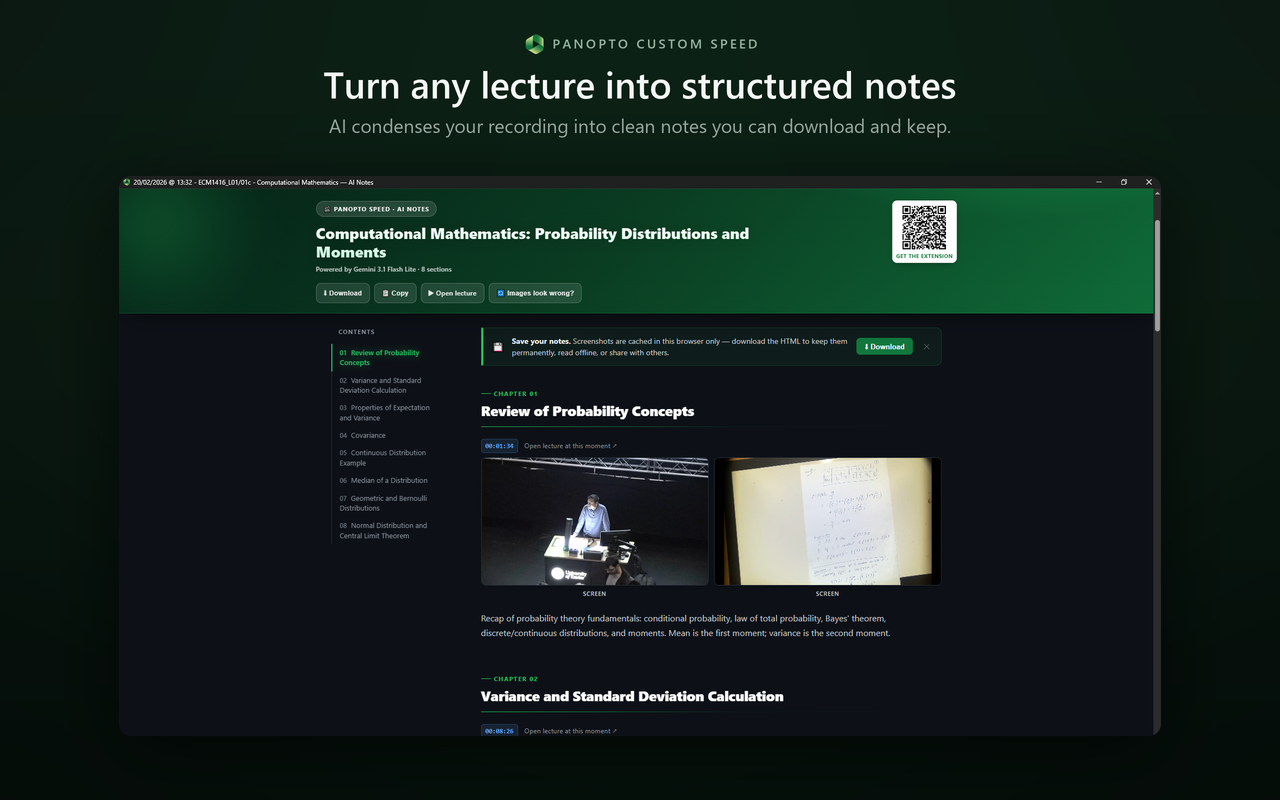
Your lecture, rewritten as notes worth keeping
AI condenses your recording into clean, chaptered notes you can read, download and keep — complete with the formulas and screenshots from the board.
- ✓ Auto table-of-contents & chapter breakdown
- ✓ Real screenshots captured at the right moments
- ✓ Maths rendered properly with KaTeX
- ✓ Download as HTML — works offline, share with friends
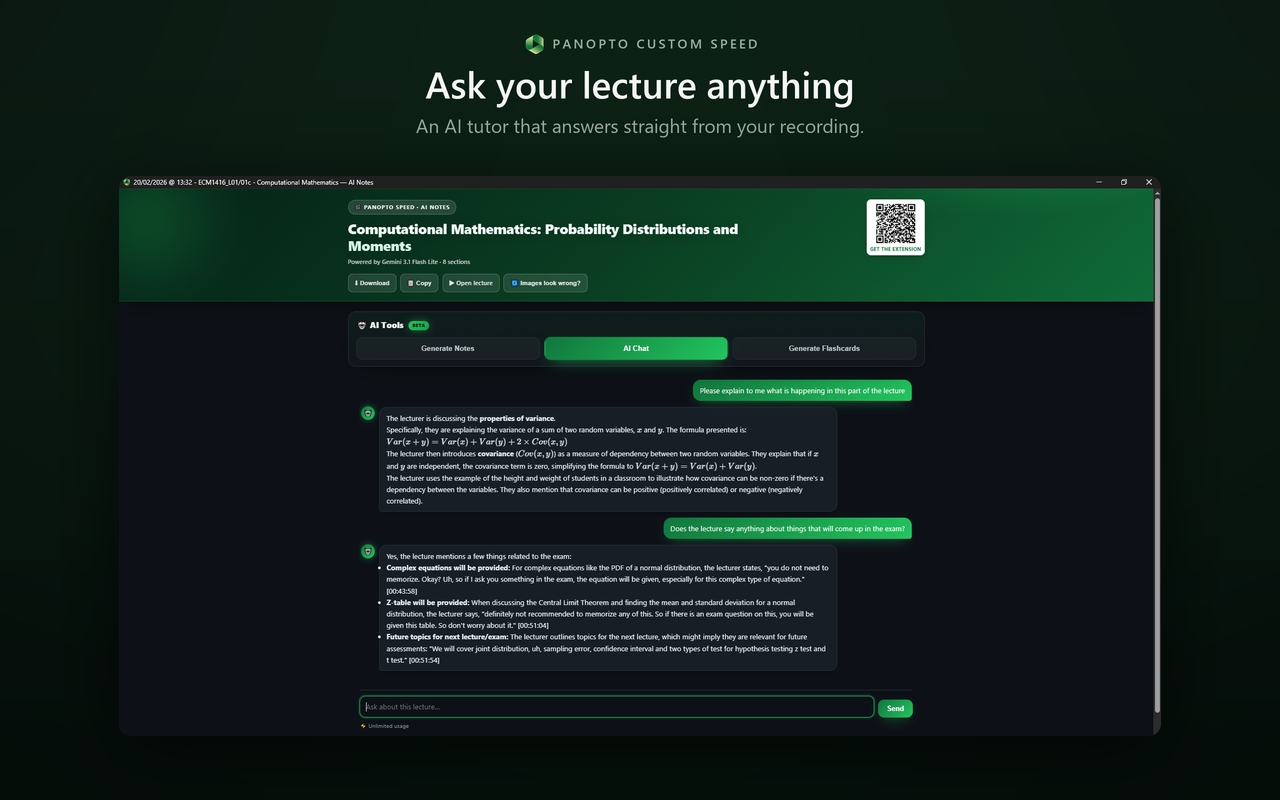
An AI tutor that has actually read your lecture
An AI tutor that answers straight from your recording — and grounds every reply in the lecture with timestamps you can jump to. Ask for exam questions, a summary, or "explain the bit around 12:30".
- ✓ Answers cite the exact moment — e.g.
[00:43:58] - ✓ "What might come up in the exam?" → grounded answers
- ✓ Chat right inside the Panopto player as you watch
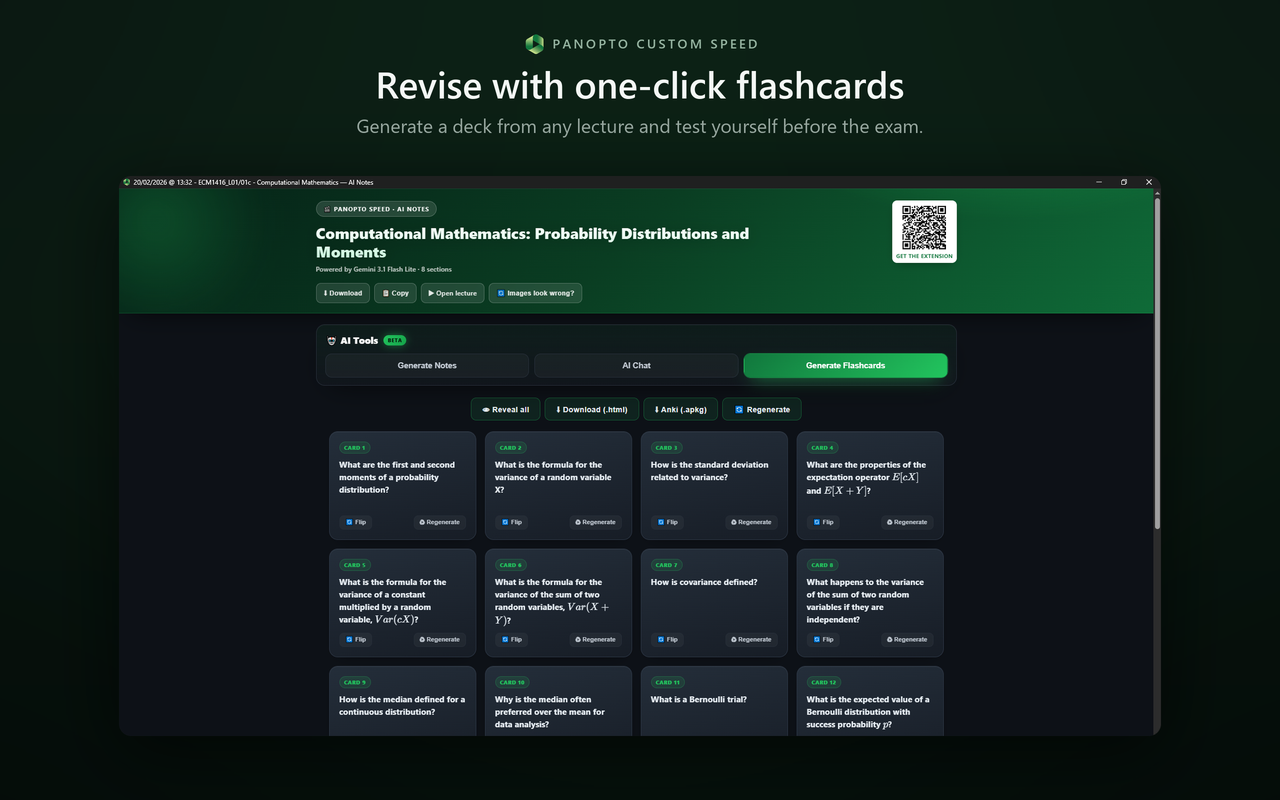
From lecture to a full Anki deck in one click
Generate a whole deck from any lecture and test yourself before the exam. Flip to reveal, regenerate the weak ones, then export straight to Anki (.apkg) or HTML.
- ✓ A full deck generated from the lecture in seconds
- ✓ One-click export to Anki (.apkg) or downloadable HTML
- ✓ Add your own topic cards & regenerate any card
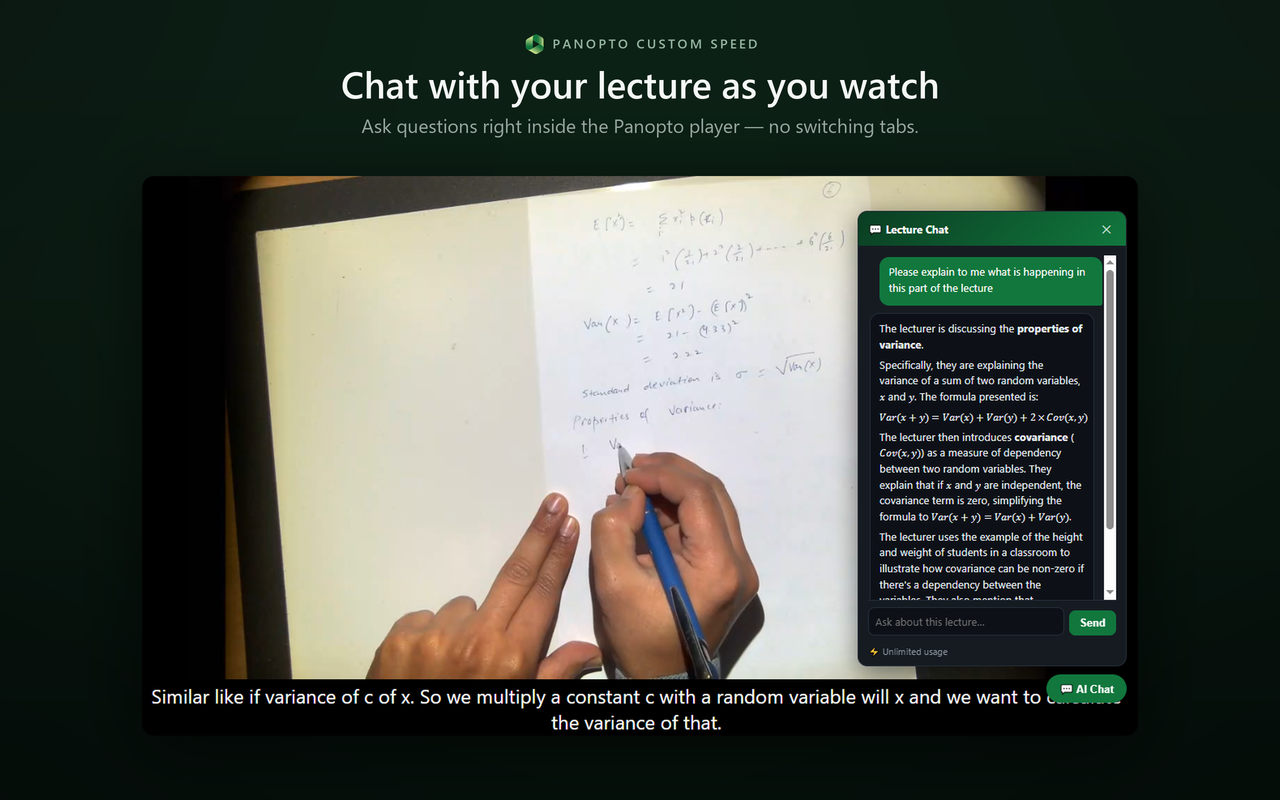
Study without ever switching tabs
Notes, chat, flashcards and translation all happen right inside the Panopto player — alongside custom speeds well past the 2× cap. No copy-pasting transcripts, no second screen.
- ✓ Any speed you want, typed in directly
- ✓ Auto-Skip Silence, Picture-in-Picture & lecture download
- ✓ Time-saved tracking that feeds the leaderboard
One extension. Your whole study workflow.
From blowing past the speed cap to turning lectures into Anki decks — it all lives in one tidy Chrome popup.
Custom playback speed
Slide, or click the badge and type any value — well past Panopto's 2× cap.
Speed on startup
Your chosen speed applies automatically the moment a lecture loads.
Time-saved tracking
See exactly how much time you've saved — manual seeking never counts.
AI Notes BETA
Structured, chaptered notes with screenshots & maths. Download & keep.
AI Tutor Chat BETA
Ask anything; answers cite the exact lecture timestamp.
Flashcards → Anki
Generate a deck and export to Anki (.apkg) or HTML in one click.
Translate & Dub ALPHA
Translate captions and hear the lecture dubbed in sync.
Auto-Skip Silence
Automatically jumps the dead air, saving even more time.
Picture-in-Picture
Pop the lecture out and keep watching while you take notes.
Download Lecture NEW
Save the video and captions for offline revision.
Dark theme & chapters
A calmer Panopto, plus a clean chapter list for every lecture.
5 languages
English, 한국어, 中文, עברית and Українська UI out of the box.
Embedded players NEW
Works on a Panopto video embedded in Canvas, Moodle or Blackboard — not just the standalone viewer.
Ready on install NEW
Lectures you already had open work straight away. No refresh, no restart.
No captions? No problem
Lectures without captions get transcribed first, so the AI tools still work.
Earn Premium free
Login streaks, referrals and time-saved milestones all pay out in Premium days.
Climb the time-saved leaderboard.
Opt in, save time on your lectures, and race other students. The #1 each week wins 7 days of Premium — free.
Leaderboard
Weekly prizes
Finish #1 on the weekly board and Premium is on the house for 7 days.
Login streaks
Show up daily to build a streak and earn bonus Premium time.
Refer friends
Every friend who uses your code gives you 5 days of Premium.
Free to speed up. Tiny price to study smarter.
The core extension is free forever. Premium unlocks the full AI toolkit — for less than a coffee.
- ✓ Unlimited custom playback speed
- ✓ Speed on startup & time-saved tracking
- ✓ Leaderboard, streaks & weekly prizes
- ✓ Dark theme, chapters & 5 languages
- ✕ AI notes, chat, flashcards & translation
- ✓ Everything in Free, plus…
- ✓ AI Notes, Tutor Chat & Flashcards
- ✓ Anki export, Translate & Dub
- ✓ Auto-Skip Silence, PiP & lecture download
- ✓ Cancel any time, in one click
- ✓ The entire AI study toolkit
- ✓ All premium speed & download tools
- ✓ New AI features as they ship
- ✓ A third cheaper than the 2-month plan
- ✓ Win it free as weekly #1
Watch the 60-second demo.
Loved by people cramming for exams.
"Super awesome extension!! Works great for rewatching lectures!!!"Paris Lewis · Feb 2026
Custom typed speeds are so helpful — including values above 3× when I need them.Joshua Newberry · Feb 2026
"Works great, would recommend to anyone trying to cram before exams."Alex Oda · Mar 2025
Saved more than three hours during exam revision — keeping it installed for the whole degree.Noam Atzmon · Feb 2025
"Great! Definitely helps with my slow-talking lecturers."Steffi Harrison · Jan 2025
Short and sweet: "thx!" — and a five-star rating to match.YJ LIM · Oct 2025
Questions, answered.
Is it free? +
Yes — the core extension (custom speed, startup speed, time-saved tracking, the leaderboard, dark theme and all 5 languages) is free forever. The AI study toolkit is Premium: £3 every 2 months, or £12 for a year. Every new subscriber gets a 7-day free trial first, with no card details required. You can also win Premium free by topping the weekly leaderboard, building login streaks, or referring friends.
How do the AI features work? +
The AI tools (notes, chat, flashcards and translation) are powered by Gemini and read your lecture's own captions, so everything stays grounded in your specific recording — answers even cite the exact timestamp you can jump to.
Can I export flashcards to Anki? +
Absolutely. Generate a deck from any lecture, then export it as a native Anki .apkg file (or a downloadable HTML deck) in one click.
Does it work on my university's Panopto? +
It works on any *.panopto.com and *.panopto.eu site, which covers the vast majority of university Panopto instances — including lectures embedded inside Canvas, Moodle or Blackboard. If you install it while a lecture is already open, it now starts on that tab straight away rather than waiting for a refresh.
What about my privacy? +
Leaderboard data is opt-in and is never sold or used for unrelated purposes. You can opt out at any time. Read the full privacy policy →
Stop watching lectures at 1×.
Join thousands of students speeding through Panopto and letting AI handle the notes, flashcards and revision.